
Welcome back!!! We are at Part 3 of the blog series on vDefend Security Services Platform and Security Segmentation. In this chapter we will onboard the NSX manager cluster to SSP and activate Security Intelligence and DFW Rule Analysis features.
If you missed the previous chapters of this series, please check out from the links below:
Part 1: Introduction
https://vxplanet.com/2025/12/18/vdefend-security-services-platform-and-security-segmentation-part-1-introduction/
Part 2: Platform Deployment
https://vxplanet.com/2025/12/19/vdefend-security-services-platform-and-security-segmentation-part-2-platform-deployment/
Let’s get started:
Onboarding NSX Manager Cluster to SSP
As discussed in Part 1, there is currently a 1:1 relationship between an SSP Instance with an NSX manager cluster. Onboarding NSX to SSP is an irreversible process, that means we cannot offboard the NSX manager and onboard a different NSX manager to the same SSP Instance. If that is the case, SSP Instance has to be redeployed.
Onboarding a Global NSX manager in NSX Federation is currently not supported, but NSX Local Managers registered to NSX Global Managers can be onboarded.
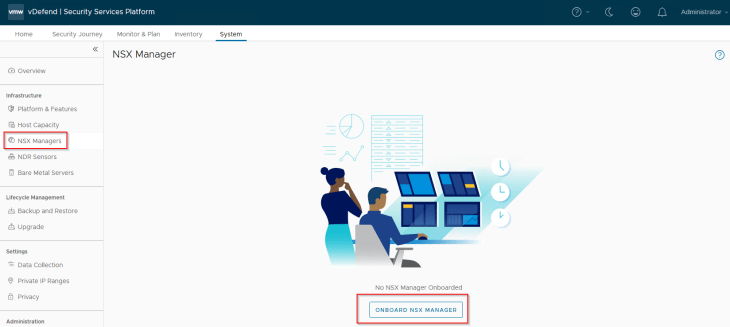
Let’s login to SSP Instance UI and navigate to System -> NSX Manager and onboard the NSX manager cluster
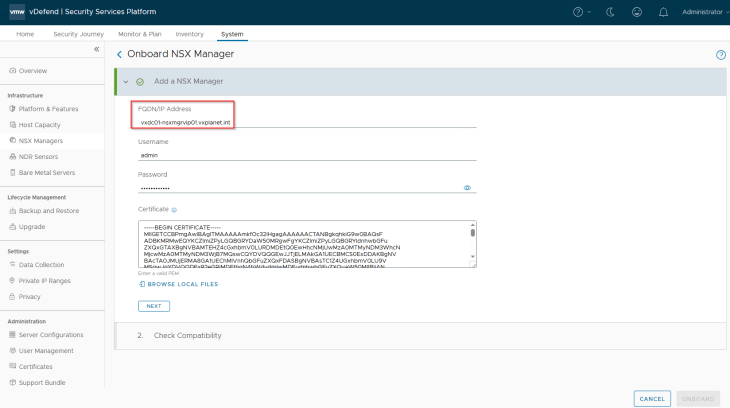
It’s recommended to provide the cluster VIP address to remain connected to SSP in case of an NSX node failure. The workflow requires NSX management cluster Rest API certificate (named as MGMT_CLUSTER REST VIP) to be presented in order to establish trust with the NSX manager.
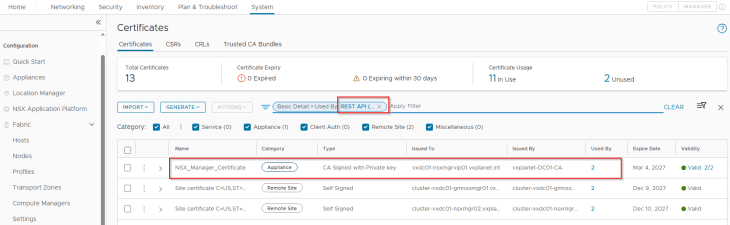
The certificate can be downloaded in a base64 encoded format from the NSX manager, as shown below:
The onboarding process takes a few minutes to complete. As part of the onboarding process, NSX licensing details will be synchronized to SSP and based on the vDefend license (DFW or ATP), respective vDefend features will be available for activation in SSP.
In this lab, I applied a vDefend DFW license as the objective of this blog series is only segmentation and not anything around ATP capabilities, hence we will only have Security Intelligence and DFW Rule Analysis features to activate.
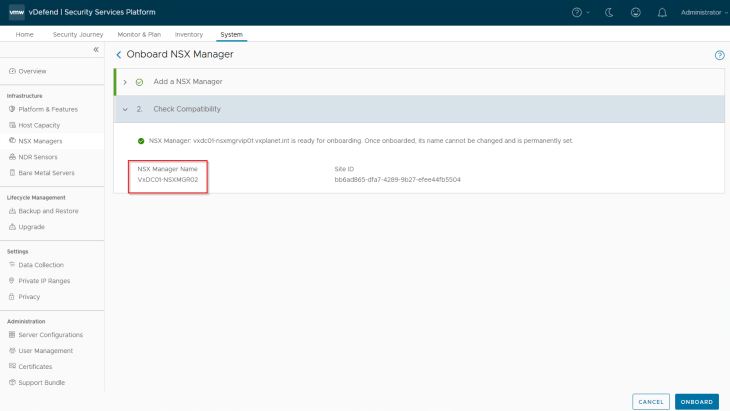
Once onboarding is successful, NSX Inventory Sync and Infrastructure Sync agents in SSP should have a status of UP and the connectivity status should be Stable.
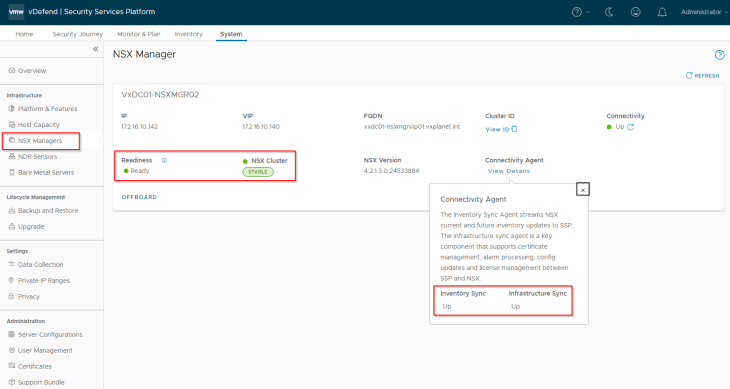
Activating Security Intelligence
Based on the vDefend license applied to NSX manager, we have Security Intelligence and Rule Analysis features available to activate.
Based on the license type, Security Intelligence requires the below minimum number of SSP worker nodes, else the prechecks will fail:
vDefend Firewall license: minimum 4 worker nodes
vDefend ATP license: minimum 5 worker nodes
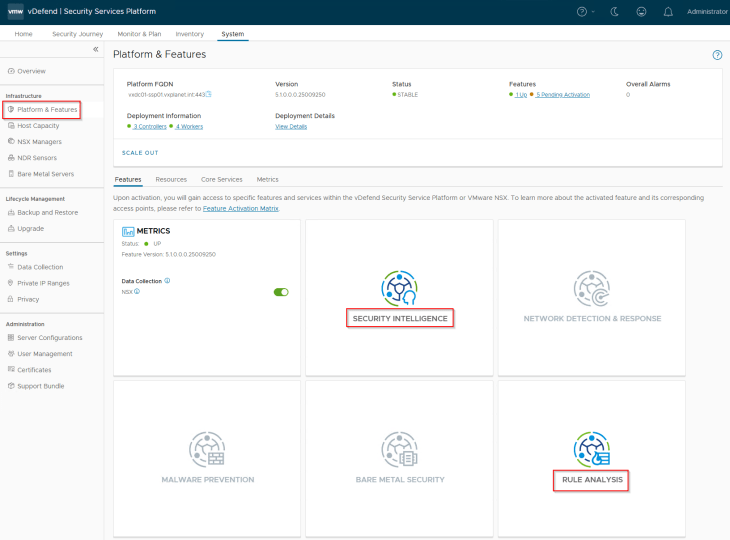
Let’s navigate to System -> Platform & Features and click on the Security Intelligence tile to activate. Make sure that the SSP platform is healthy and we don’t have any open alarms in the console before feature activation.
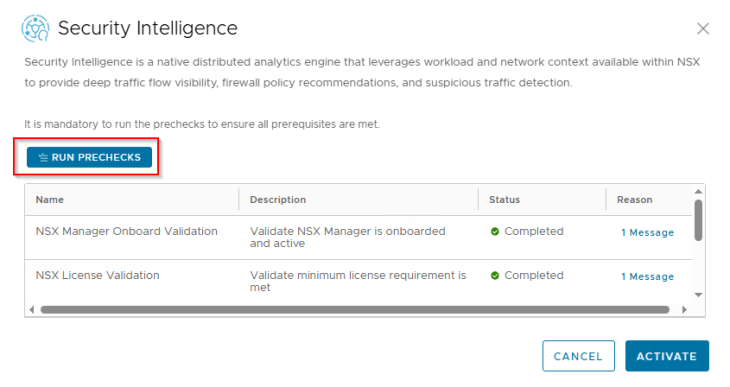

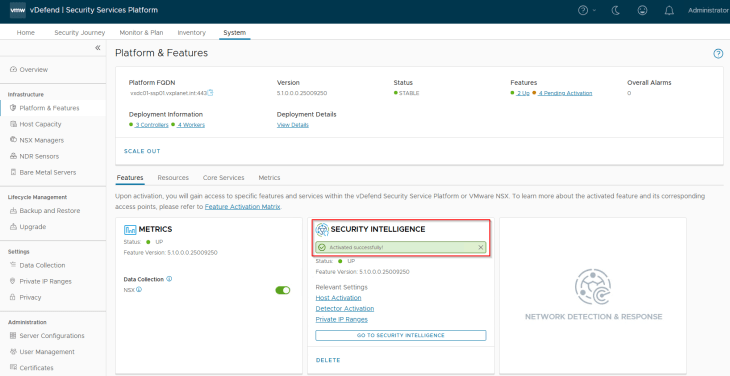
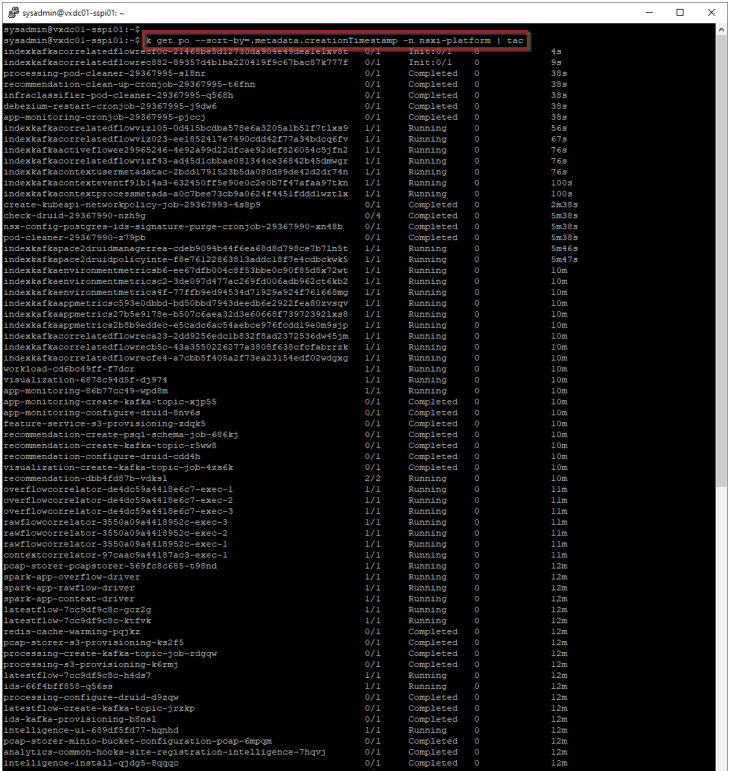
As part of feature activation, we should see additional microservices getting deployed in the K8S workload cluster (SSP Instance)
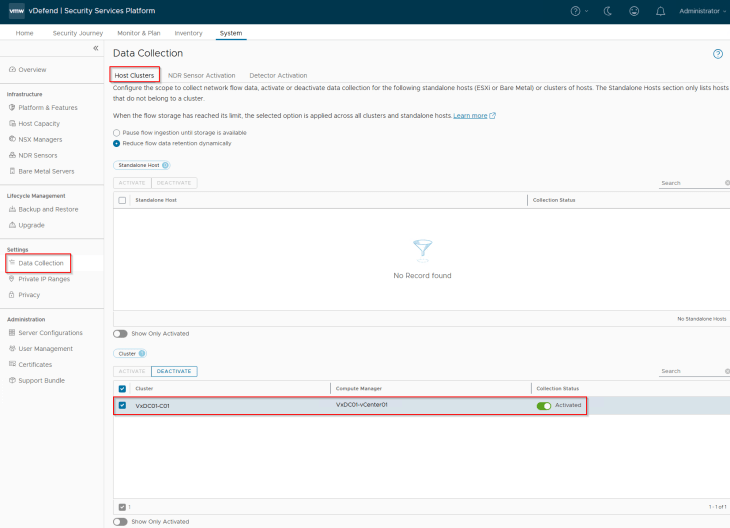
Once Security Intelligence is activated, navigate to System -> Data Collection -> Host Clusters and activate flow collection for the vSphere cluster. This will enable flow exporter service on the transport nodes in the cluster to send flow information to Security Intelligence.
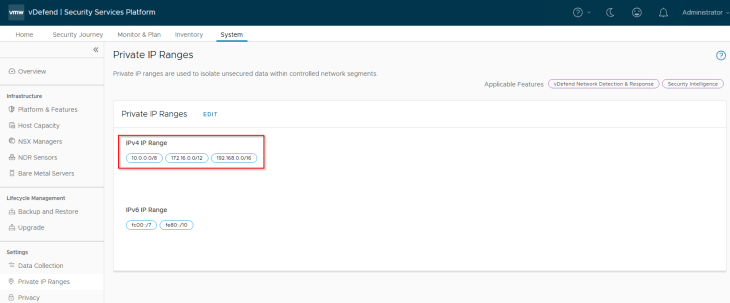
Let’s confirm that we have all our internal IP networks included in the private IP ranges list. Any IP addresses not included in this range will be marked as “External” in the Security Intelligence visualization dashboard.
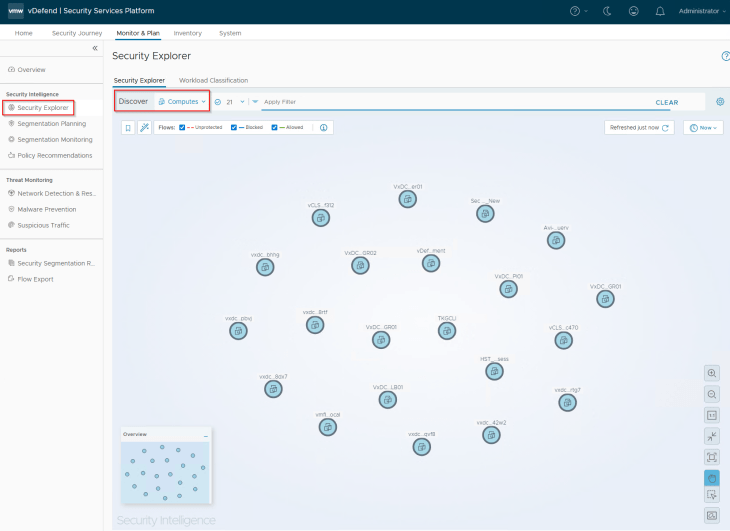
Now let’s navigate to Monitor & Plan -> Security Explorer and confirm that we can access the flow visualization dashboard. We will not see any flows currently, as all the workloads displayed in the canvas are on VLAN backed port groups, and we don’t have any applications onboarded yet. We will do that from Part 4 onwards.
Activating Rule Analysis
Rule Analysis is a new capability introduced in SSP 5.1. This feature analyses the DFW rules and report if one or more rules fall into any of the below 7 categories. Note that rule analysis is available only for distributed firewall and not for gateway firewall or IDPS.
- Duplicate rules: Rules with same source, destination, services, context profiles applied-to and action
- Contradiction rules: Rules with same source, destination, services, context profiles and applied-to field but with different action
- Redundant rules: A top rule is a superset of a bottom rule completely masking the bottom rule, but both rules have same action
- Shadow rules: A top rule is a superset of a bottom rule completely masking the bottom rule, but both rules have different action
- Consolidation rules: Rules with same source, destination, applied-to and action but with different services and context profiles. These rules can be merged.
- Permissive rules: Rules with source, destination, services and context profiles set to ANY and with an action of allow.
- Irrelevant rules: Rules with either source, destination or applied-to field has an empty security group.
We will discuss more about rule analysis in Part 11, but for this article lets activate the feature first.
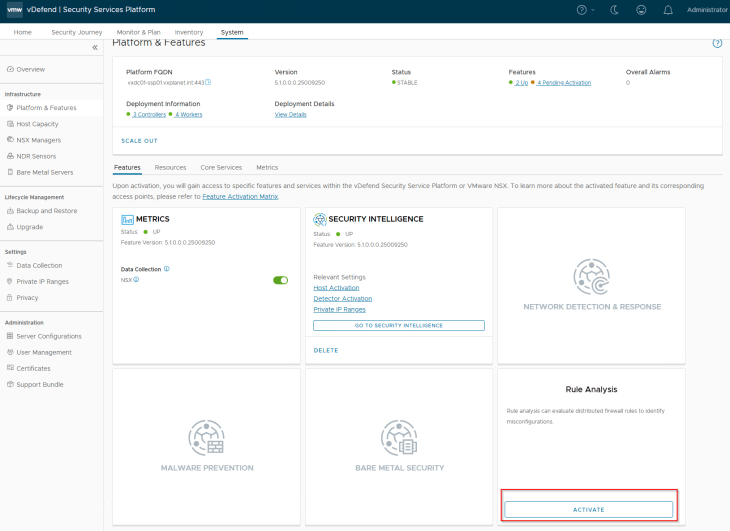
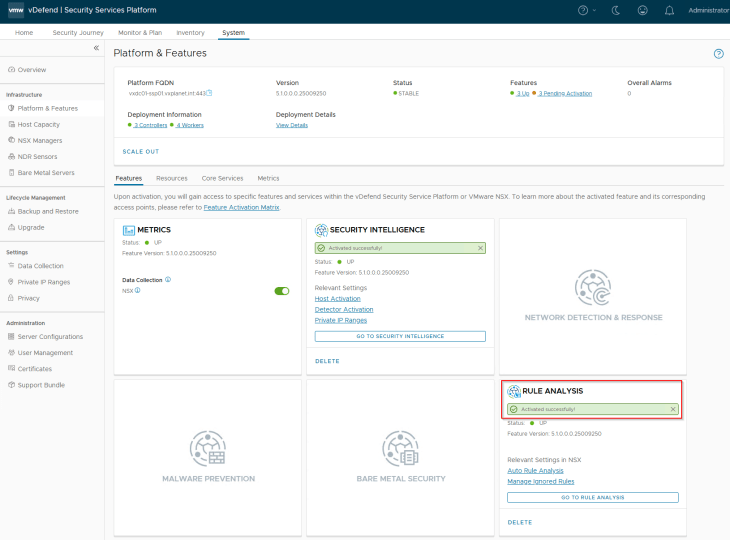
Navigate to System -> Platform & Features and click on the Rule Analysis tile to activate. Make sure that the SSP platform is healthy and we don’t have any open alarms in the console before feature activation.
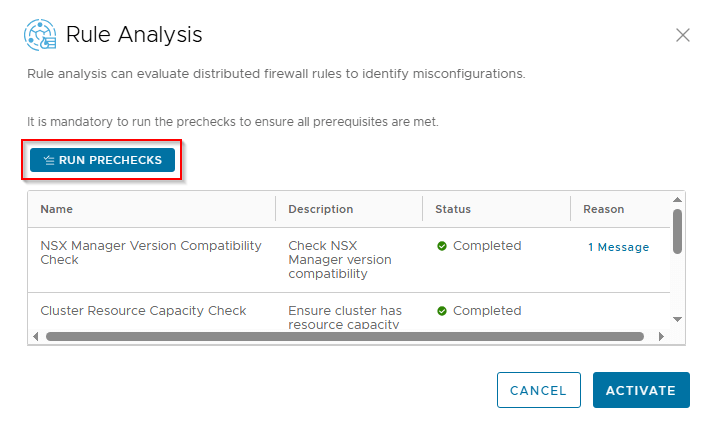
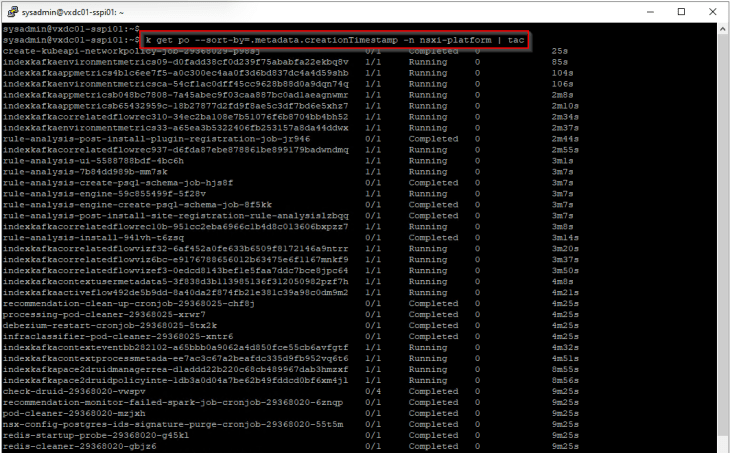
As part of feature activation, we should see additional microservices getting deployed in the K8S workload cluster (SSP Instance)
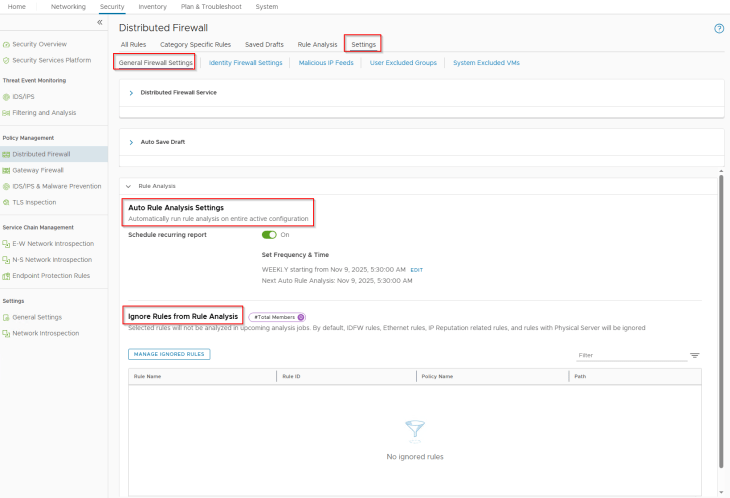
Once the feature is activated, we see a new tab for Rule Analysis under the Distributed Firewall section in NSX manager.

Rule Analysis can also be scheduled to run at intervals, a frequency of Weekly is an ideal option.
We now have the Security Services Platform ready to onboard applications and start the security segmentation journey. The next series of chapters (Part 4 to Part 10) will focus on DFW 1-2-3-4 approach of shared services protection, zone segmentation, application microsegmentation with full and partial hierarchies, promoting NSX groups as applications, handling app scaling, app transitions and much more.
Stay tuned!!! I hope the article was informative. Thanks for reading

Continue Reading? Here are the other parts of this series:
Part 1: Introduction
https://vxplanet.com/2025/12/18/vdefend-security-services-platform-and-security-segmentation-part-1-introduction/
Part 2: Platform Deployment
https://vxplanet.com/2025/12/19/vdefend-security-services-platform-and-security-segmentation-part-2-platform-deployment/


