Welcome back!!! If you are reading this, Congratulations – we have come a long way in our blog series on the vDefend Security Services Platform (SSP) and Security Segmentation. This chapter and the next will focus on day 2 operations of security policy and inventory management in SSP like handling application scaling and application transitions. This is Part 9, and we will discuss how to perform incremental imports to the existing hierarchy as the applications scale out. Let’s get started!
Note: If you were not following along, please check back the previous chapters of the series from the links at the bottom of this article.
Application Description and Hierarchy
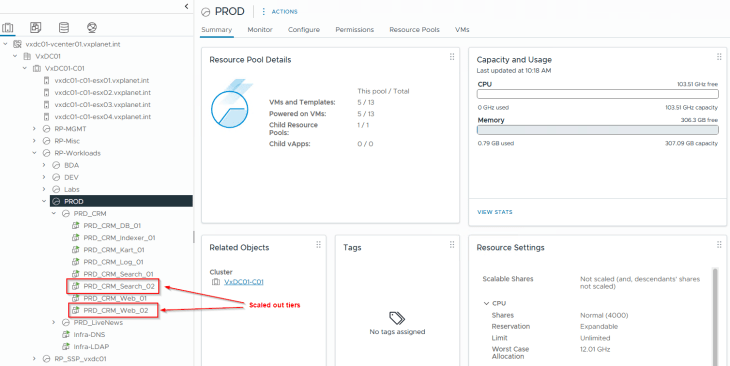
Remember the CRM Prod application that we onboarded and microsegmented in Part 4? For this article, I have scaled out the Web and Search tiers of the CRM Prod application with additional VMs. These VMs come up in the NSX inventory with no tags and group membership, and as such, they don’t receive any security policies built for the CRM Prod application.
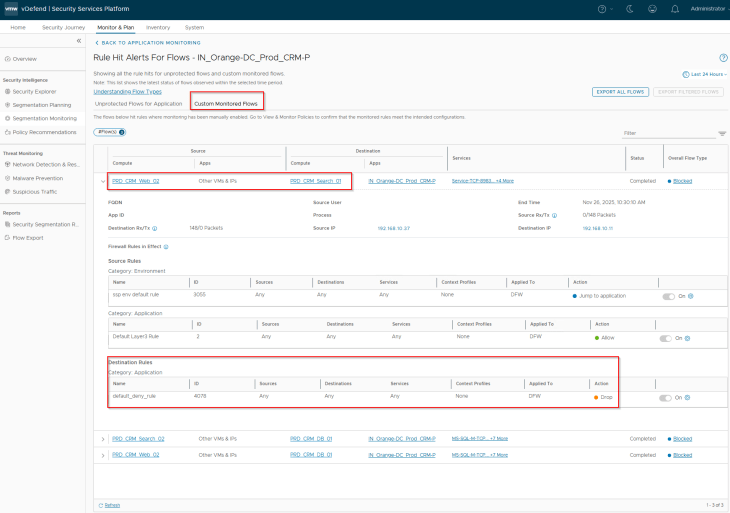
The result is that flows between CRM Prod application and the scaled-out VMs are blocked as part of the segmentation strategy driven default deny rule for the application.
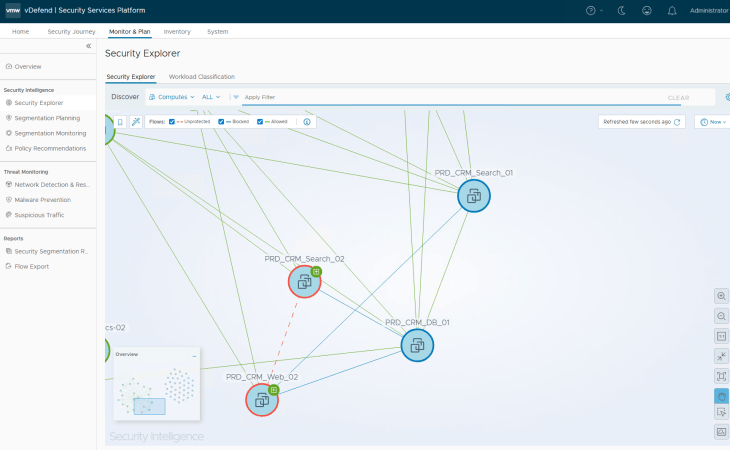
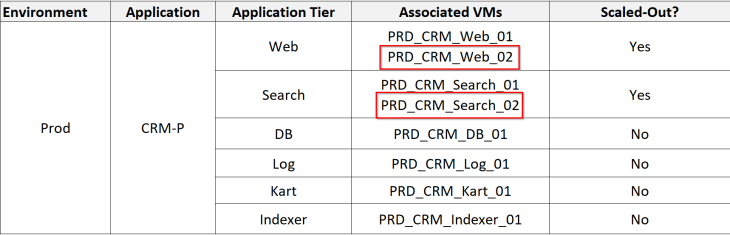
The below table shows the CRM Prod application details, including it’s tiers, existing VMs and scaled-out VMs (highlighted)
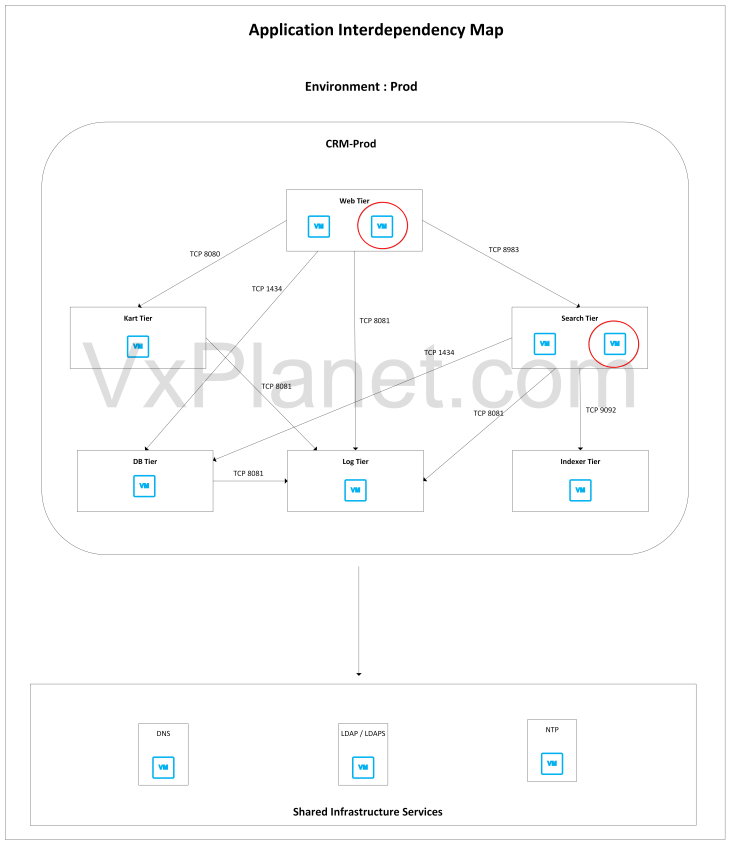
This is how the application interdependency map looks like. Note that there is no change in the application architecture except that the web and search tiers are scaled out with additional VMs (highlighted)
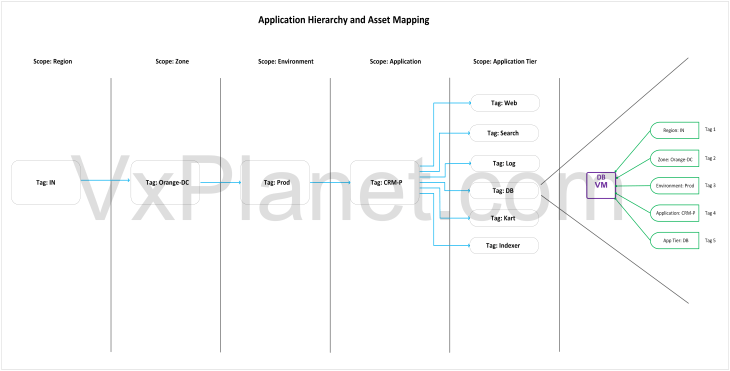
Below is the application hierarchy (full hierarchy) that was imported for the application in Part 4. As this application scales out, we need to align with the same hierarchy while we do the csv import.
Importing the Hierarchy
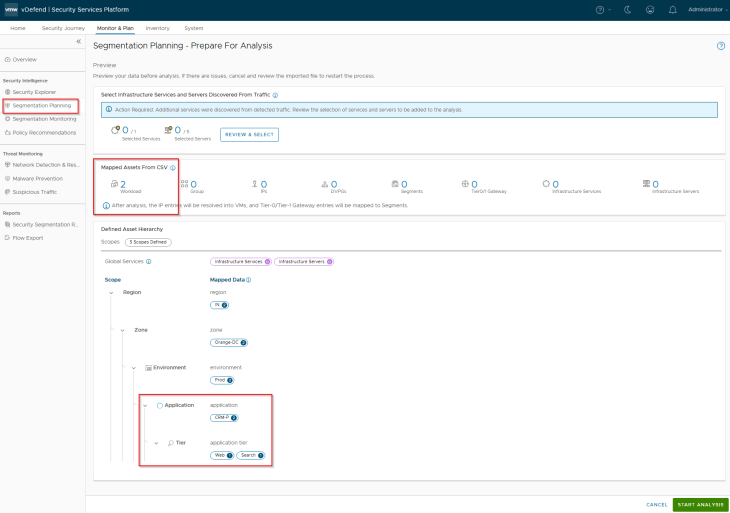
Let’s build a new csv import file for the scaled-out VMs with a full hierarchy information.

This is a preview of the assets and hierarchy that are mapped from the csv. Notice the five scopes and the different tags that will be applied to the VMs included in the csv.
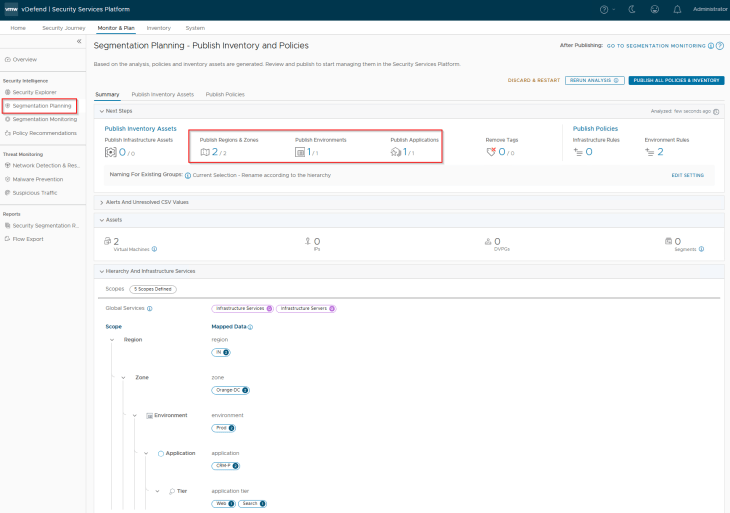
Publishing Inventory Assets
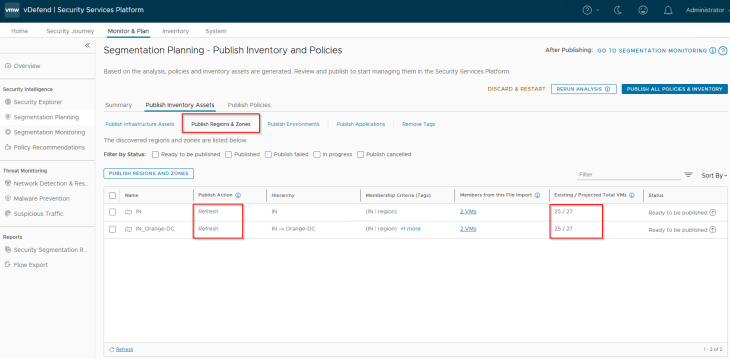
Since the Region and Zone assets were already present in SSP as part of previous hierarchy import, we see the publishing action as Refresh. This publishing action will update the VMs with Region and Zone tags (as highlighted below)
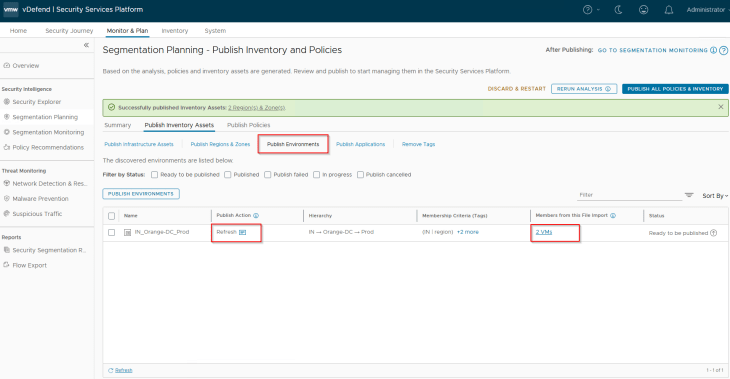
Since the Environment asset was already present in SSP as part of previous hierarchy import, we again see the publishing action as Refresh. This publishing action will update the VMs with Environment tag (as highlighted below)
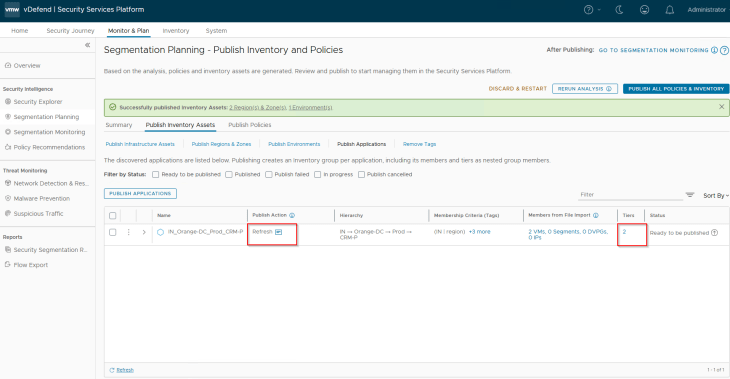
Since the Application and Application tier assets were already present in SSP as part of previous hierarchy import, we again see the publishing action as Refresh. This publishing action will update the VMs with Application and Application tier tags (as highlighted below)
We should now see that the scaled-out VMs received all the five tags and got dynamically added as members to the respective region, zone, environment, application and application tier security groups in NSX. At this moment, the VMs should receive the DFW policies built for the CRM Prod application.
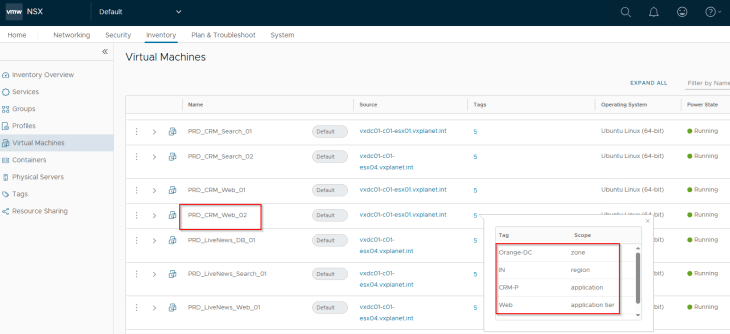
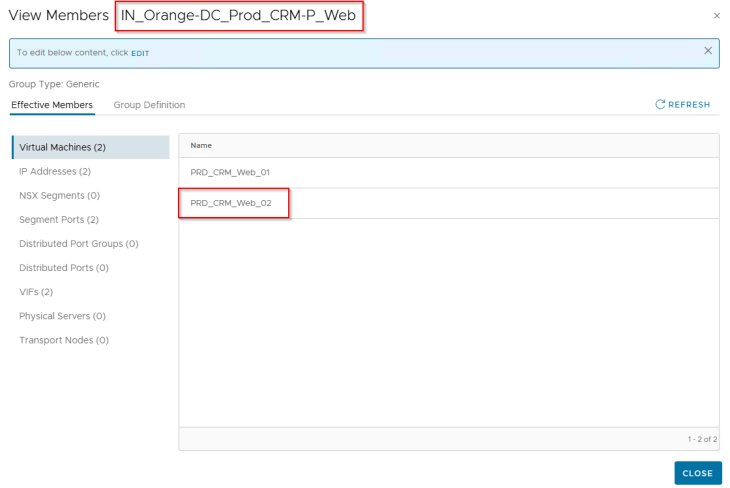
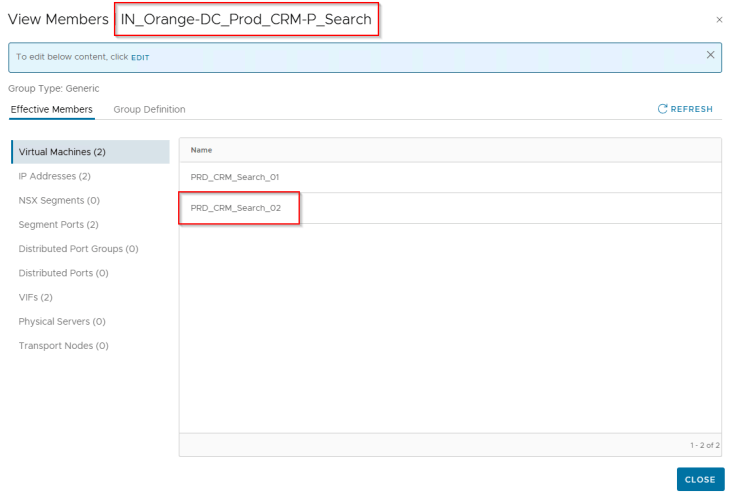
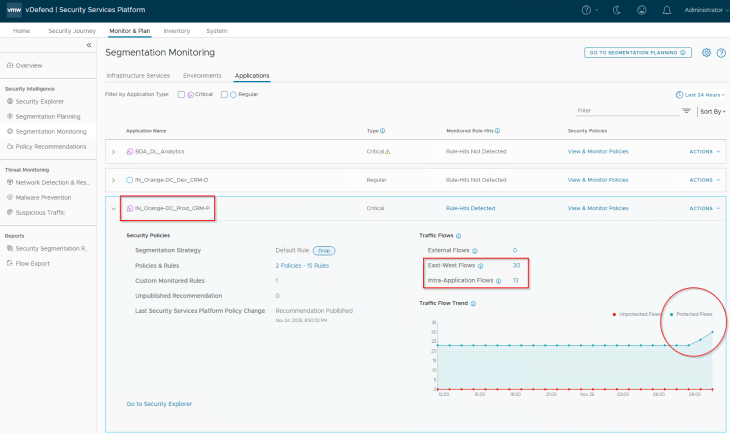
As expected, we should see a spike in the protected flows for the application, as there are no longer any blocked or unprotected flows for the application.
And finally, we will review the Security Explorer canvas for any unprotected flows. Optionally we could run the segmentation score and report to review the current security posture.
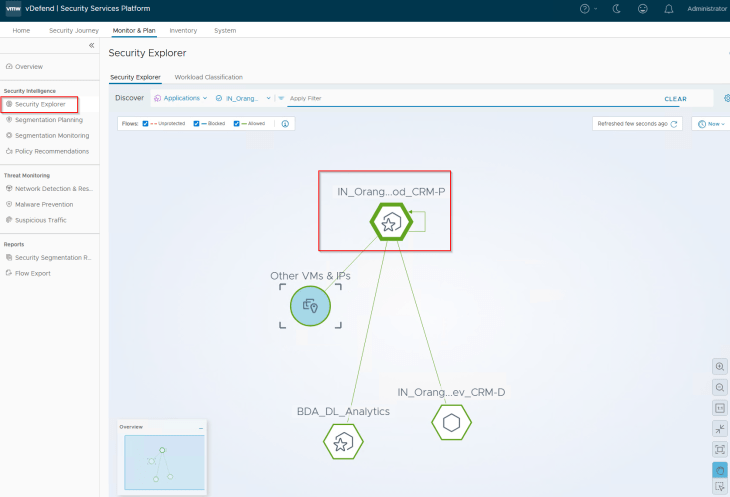
Pretty easy, right? 😊We have successfully updated the SSP assets to receive the DFW policies as part of application scale-out. Note that, if the application scales out to a new tier, we might need to run recommendations again and add incremental rules to the existing application policy.
In the next chapter, we will transition the CRM Dev application from the Dev environment to a new Staging environment and demonstrate how the assets and policies are transitioned along with the application. Stay tuned!!!
I hope the article was informative. Thanks for reading.

Continue Reading? Here are the other parts of this series:
Part 1: Introduction
https://vxplanet.com/2025/12/18/vdefend-security-services-platform-and-security-segmentation-part-1-introduction/
Part 2: Platform Deployment
https://vxplanet.com/2025/12/19/vdefend-security-services-platform-and-security-segmentation-part-2-platform-deployment/
Part 3: NSX Onboarding and Feature Activation
https://vxplanet.com/2025/12/19/vdefend-security-services-platform-and-security-segmentation-part-3-nsx-onboarding-and-feature-activation/
Part 4: Application Hierarchy Import
https://vxplanet.com/2025/12/22/vdefend-security-services-platform-and-security-segmentation-part-4-application-hierarchy-import/
Part 5: Publishing Assets and Policies
https://vxplanet.com/2025/12/22/vdefend-security-services-platform-and-security-segmentation-part-5-publishing-assets-and-policies/
Part 6: Segmentation Monitoring and Policy Recommendations
https://vxplanet.com/2025/12/23/vdefend-security-services-platform-and-security-segmentation-part-6-segmentation-monitoring-and-policy-recommendations/
Part 7: Partial Hierarchy and Incremental Import
https://vxplanet.com/2026/01/08/vdefend-security-services-platform-and-security-segmentation-part-7-partial-hierarchy-and-incremental-import/
Part 8: Promoting NSX Groups
https://vxplanet.com/2026/01/10/vdefend-security-services-platform-and-security-segmentation-part-8-promoting-nsx-groups/
Part 10: Handling App Transitions
https://vxplanet.com/2026/01/11/vdefend-security-services-platform-and-security-segmentation-part-10-handling-app-transitions/
Part 11: DFW Rule Analysis
https://vxplanet.com/2026/01/12/vdefend-security-services-platform-and-security-segmentation-part-11-dfw-rule-analysis/


