Welcome back!!! We are at Part 10 of the blog series on vDefend Security Services Platform and Security Segmentation. In the previous chapter, we demonstrated how to perform incremental imports to the existing hierarchy as the applications scale out, so that the scaled-out components become part of the application assets / groups, receive the intended DFW policies and are secured. If you missed this, please check out from the links below:
Part 9: Handling App Scaling
https://vxplanet.com/2026/01/10/vdefend-security-services-platform-and-security-segmentation-part-9-handling-app-scaleout/
In this chapter, we discuss another scenario where the application transitions from one environment to another and demonstrate how to perform incremental imports so that the assets and policies are transitioned along with the application. Let’s get started:
Application Description and Hierarchy
Remember the CRM Dev application that we onboarded and microsegmented in Part 4? This application had 5 tiers and was onboarded as an application asset to SSP via a full hierarchy import.
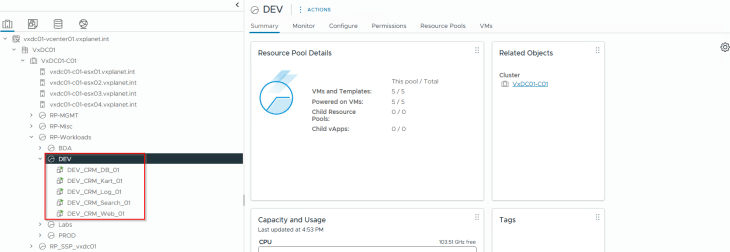
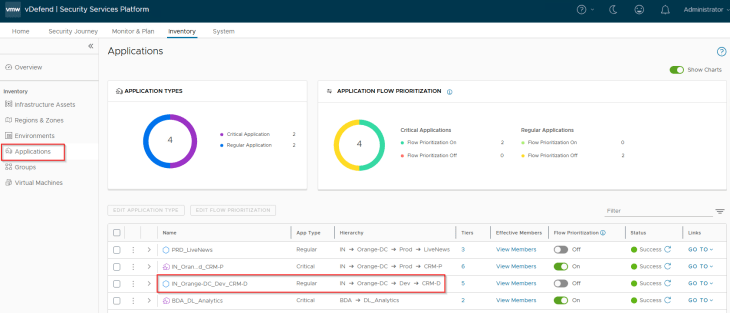
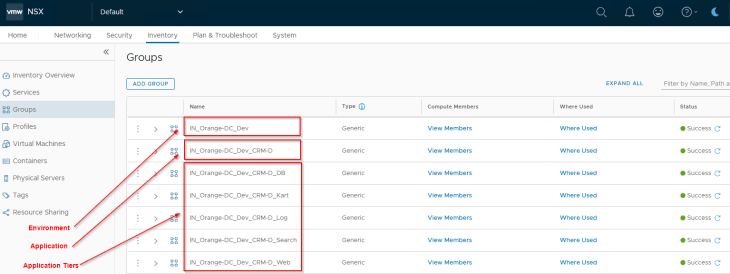
The necessary security groups for environment, application and application tiers exist in NSX with a dynamic tag-based criteria.
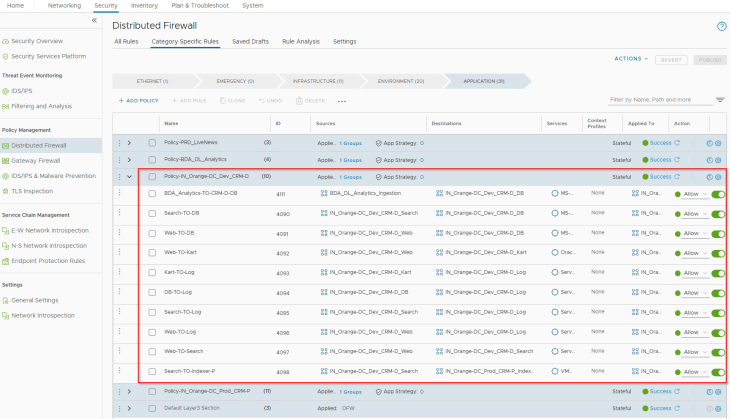
The application was already microsegmented and locked down with a segmentation strategy driven default Deny rule. Below are the DFW policies in place for the CRM Dev application:
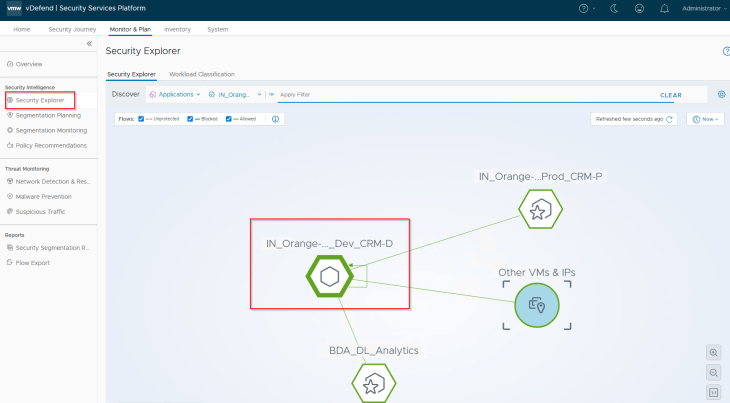
Reviewing the security explorer canvas, we see that the application is secured and there are no unprotected flows.
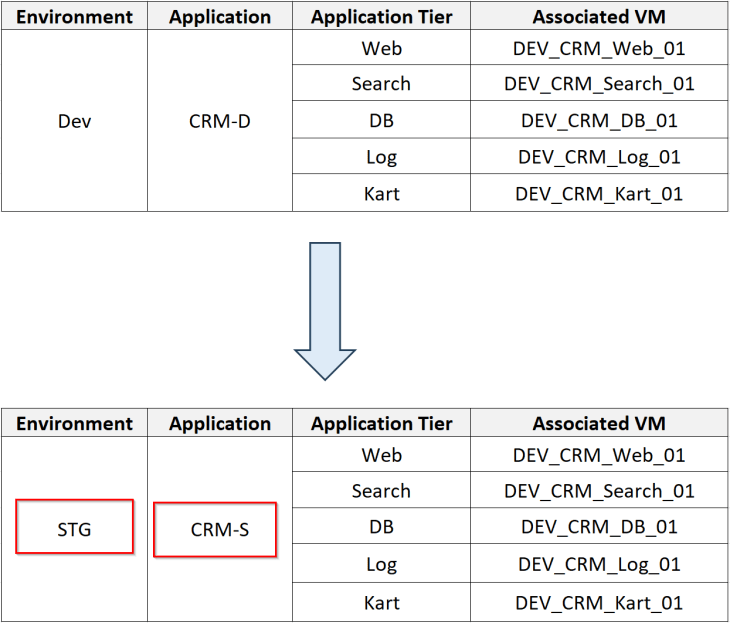
Over the time, the CRM Dev application matured and is now qualified to be promoted / transitioned to a new Staging environment. As part of this transition, the VMs are relocated to a new vSphere cluster, to a different NSX segment and the VMs are re-IP’ed. Segment security features like Spoofguard / TOFU isn’t in place, hence the VMs can still communicate after getting re-IP’ed. It’s assumed that all the application-level changes are completed, however being on a new network, the application require access to a few of the staging environment’s services and as such, it’s expected that there will be minor updates to the application interdependency map too. Post transition, the application will be renamed as CRM-Staging.
The below table shows the application details, including the tiers and the VMs that make up the application
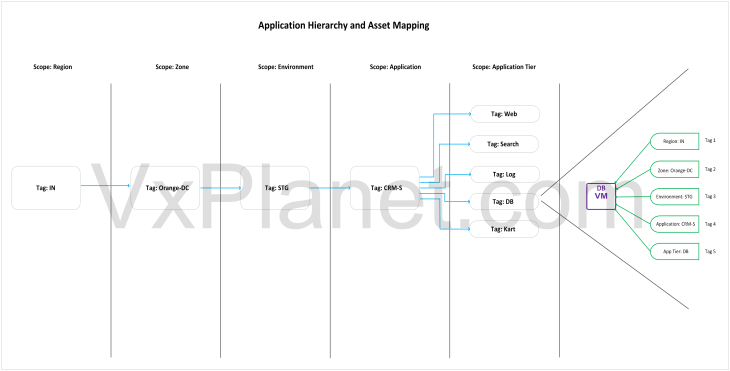
The below sketch shows the application hierarchy (full hierarchy) that will be imported in the next section.
Importing the Hierarchy
Let’s build a new csv import file with a full hierarchy information and with updated environment and application details.

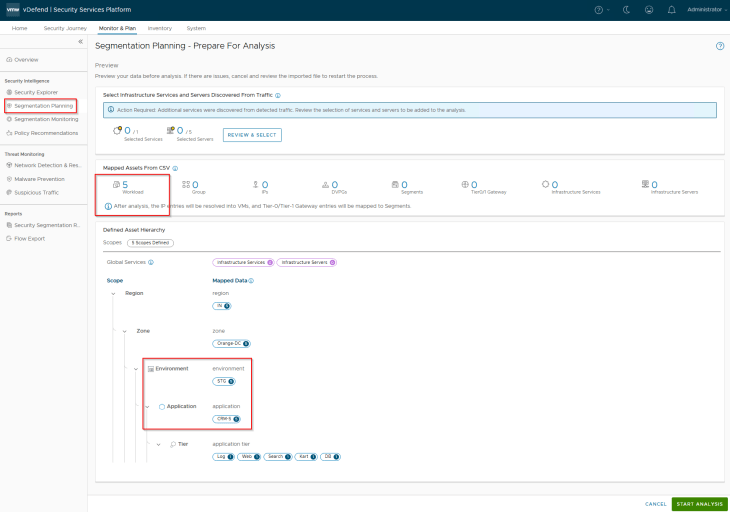
This is a preview of the assets and hierarchy that are mapped from the csv. Notice the five scopes and the new tags (highlighted) that will be applied to the VMs included in the csv.
Handling Tag Conflicts
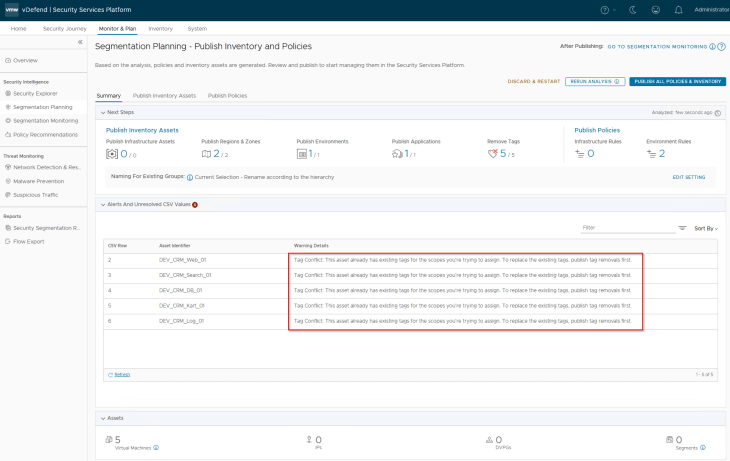
After analysis, we are presented with tag conflicts for the VMs. This is because the scope for environment and application now has new tag values.
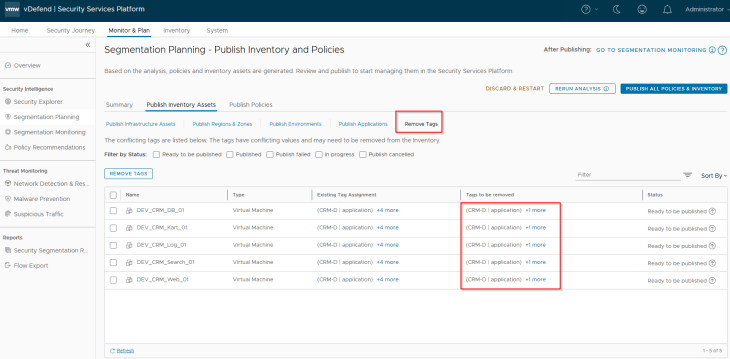
Let’s remove the conflicting tags before we proceed.
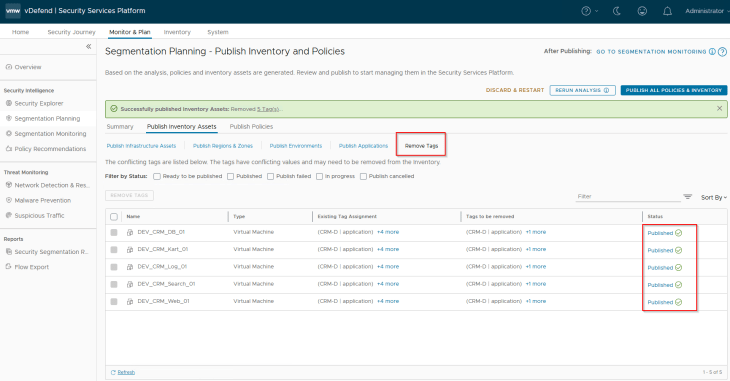
As the tag conflicts are resolved, the VMs become part of only Region and Zone assets and are no longer part of the Environment, Application or Application tier assets unless the assets are published.
Publishing Inventory Assets
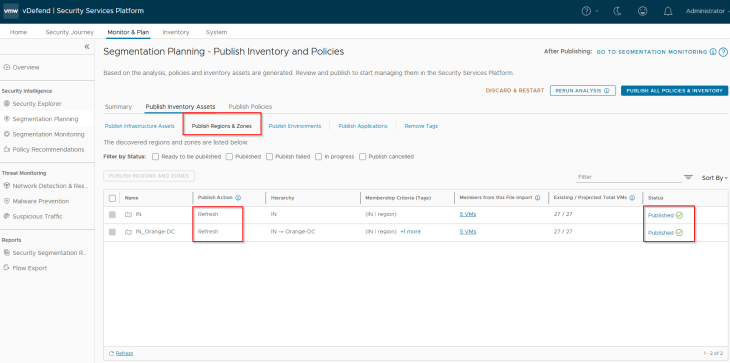
Since the Region and Zone assets were already existing in SSP as part of previous hierarchy import, we see the publishing action as Refresh. This publishing action will update the VMs with Region and Zone tags (as highlighted below)
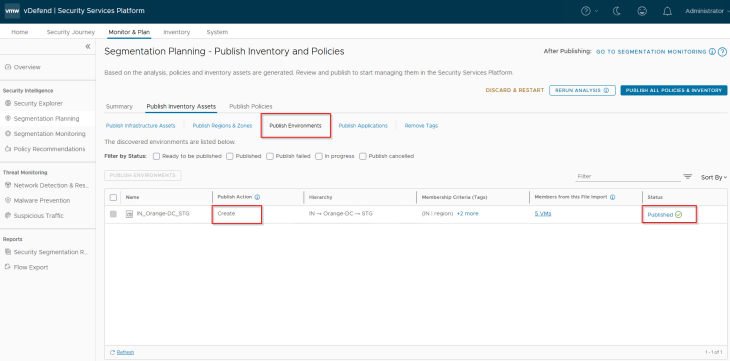
Staging is a new Environment asset that is being onboarded, hence we see the publishing action as Create. This publishing action will update the VMs with a new environment tag.
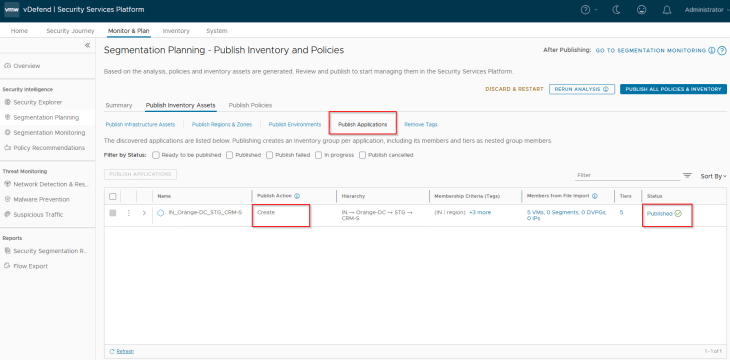
Since this is a new application, we see the publishing action for the Application asset as Create. This publishing action will update the VMs with new application and application tier tags.
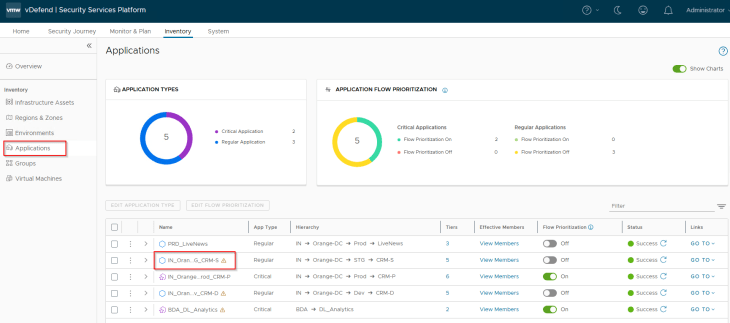
Once published, we see a new application asset in SSP with the new hierarchy information that was imported. This application asset represents the transitioned CRM Staging application which was called CRM Dev earlier.
Based on the new tags that are applied to the VMs, they become part of the new CRM-Staging application and application tier NSX security groups.
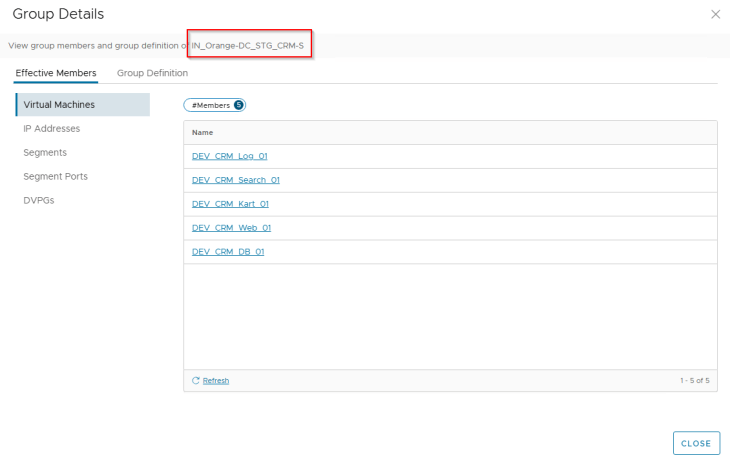
These VMs are no longer part of the old CRM-Dev application, hence they no longer have any DFW rules in place. All the flows to / from these VMs are now Unprotected.
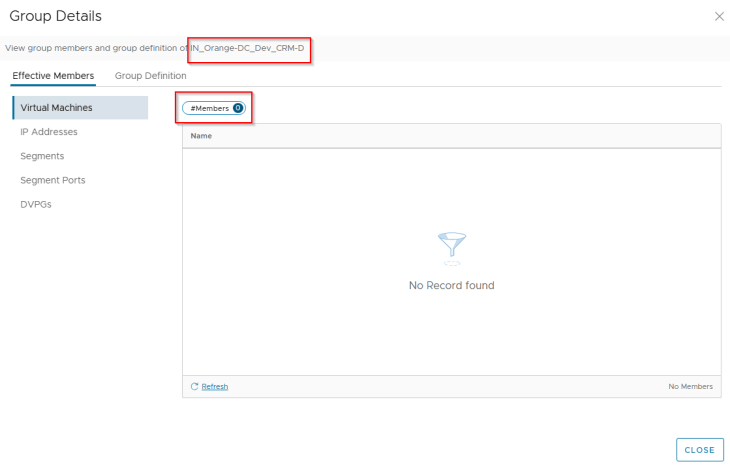
Publishing Environment Policies
Let’s publish the intra-environment policy for the new STG environment.
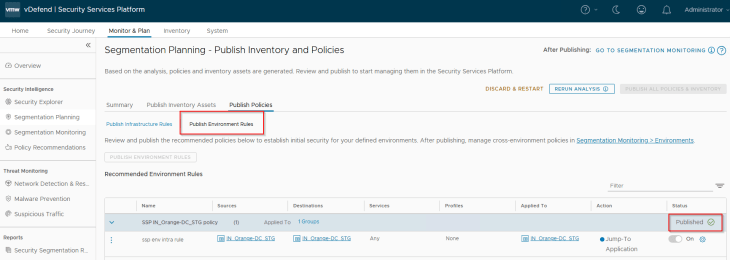
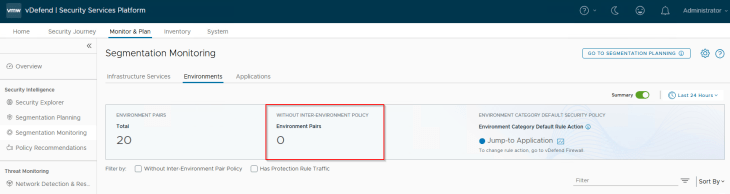
Since we have a new environment onboarded, Security Intelligence creates 8 new environment pairs based on the direction of traffic with the existing environments.
- STG to Prod
- STG to Dev
- STG to BDA
- STG to ALL_InsiderLabs
- Prod to STG
- Dev to STG
- BDA to STG
- ALL_InsiderLabs to STG
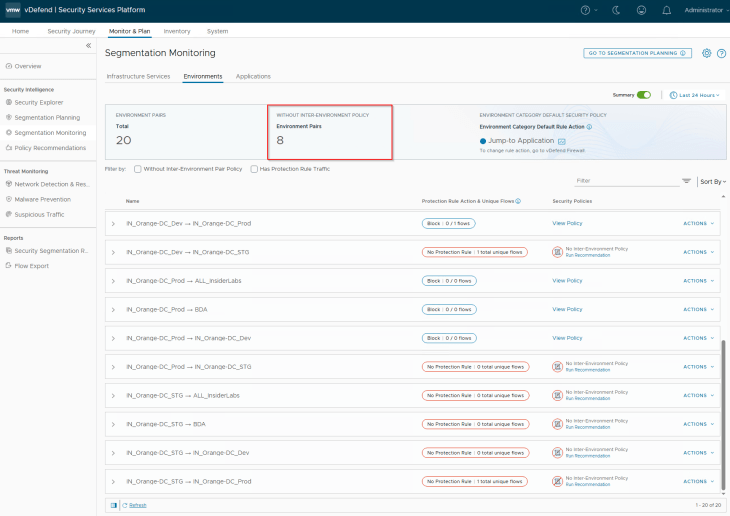
Similar to how we did previously, we will review the inter-environmental traffic flows, create exception rules, and add inter-environmental protection rule with an action of Drop. If we are not confident of locking down the inter-environment communication immediately, we could also start with an action of “Jump to Application”, monitor the flows for some duration and eventually lock down the pairs in phases. At the end, the below is the expected state – we should see all environment pairs with a protection rule.
Publishing Application Microsegmentation Policies
Note that the application has transitioned, and the VMs are part of new security groups. The DFW policies that were created earlier for the CRM Dev application is no longer valid, and we should see unprotected flows in the Security Explorer canvas.
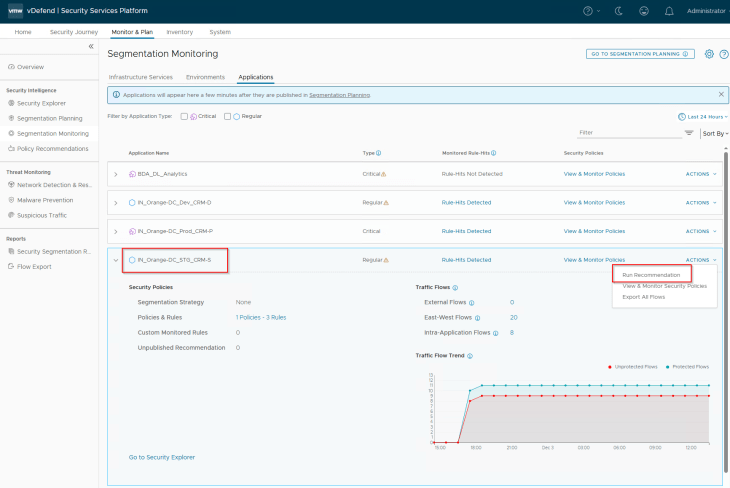
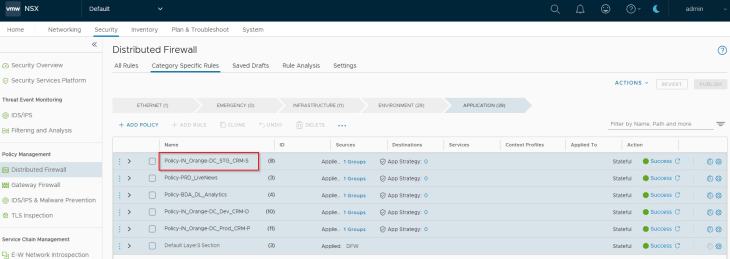
Similar to how we did previously, we will review the flows of the application, make sure flows to shared infrastructure services are allowed, and run a recommendation with a segmentation strategy default rule (Action: Deny if we are confident about the expected flows of the application or Action: Allow if we want to monitor the flows for some duration before locking down the application)
Once the recommendation is published and the DFW rules are in place, we should see a spike in the protected flows of the application.
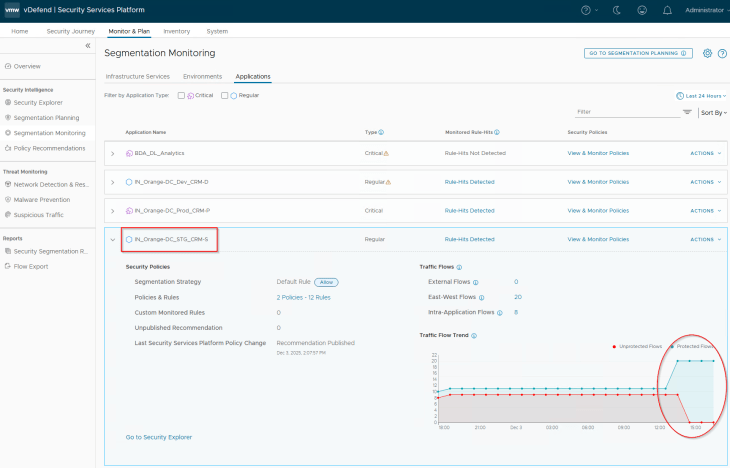
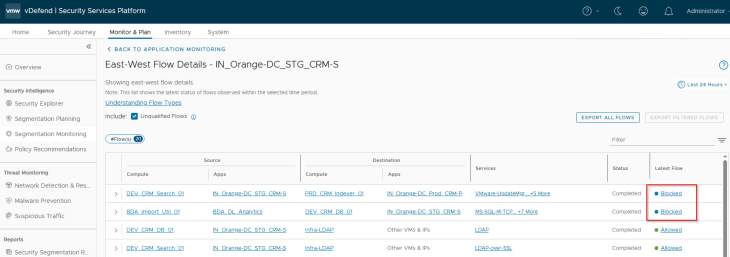
We will also review the application flows for any blocked traffic, and if any, they need to be reviewed and necessary exceptions need to be added to whitelist, if necessary. In the below screenshot, we see two blocked flows in an inter-application communication, and they are due to the segmentation strategy default Deny rule on the CRM Prod and BDA_Analytics applications. We will run recommendations on those applications and add incremental rule updates like how we did in Part 7.
Cleaning up old Assets and Policies
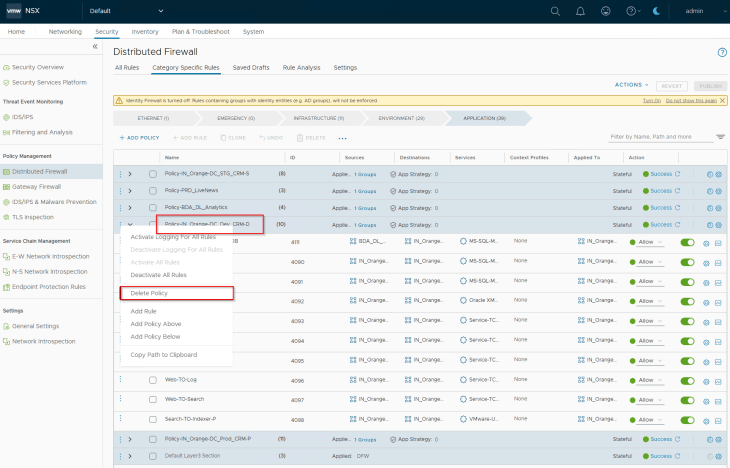
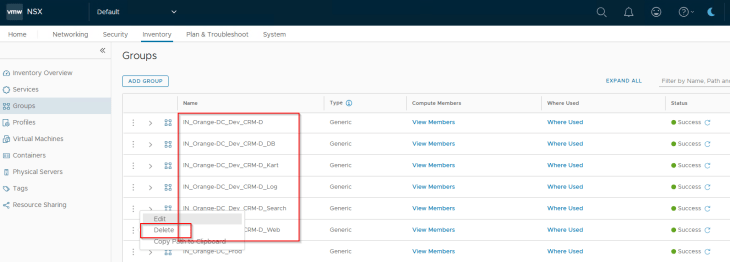
The final step is to cleanup the old assets and policies that were created for the CRM Dev application. They are no longer required.
Cleaning up of old policies and assets are performed from the NSX manager, and will be reflected in the SSP inventory.
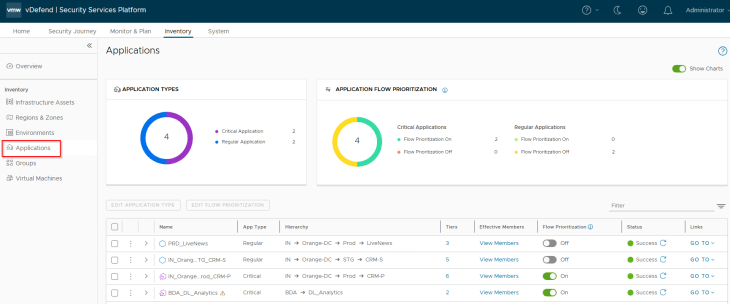
and finally, we will review the SSP inventory for the application assets. CRM Dev application is no longer present, and we now have the transitioned CRM Staging application.
Success!!! We will now move on to the final chapter of this series called DFW rule Analysis but before we proceed, let’s take a break now to stretch and relax and grab some coffee. We will meet shortly. Stay tuned!!!
I hope this article was informative. Thanks for reading.

Continue Reading? Here are the other parts of this series:
Part 1: Introduction
https://vxplanet.com/2025/12/18/vdefend-security-services-platform-and-security-segmentation-part-1-introduction/
Part 2: Platform Deployment
https://vxplanet.com/2025/12/19/vdefend-security-services-platform-and-security-segmentation-part-2-platform-deployment/
Part 3: NSX Onboarding and Feature Activation
https://vxplanet.com/2025/12/19/vdefend-security-services-platform-and-security-segmentation-part-3-nsx-onboarding-and-feature-activation/
Part 4: Application Hierarchy Import
https://vxplanet.com/2025/12/22/vdefend-security-services-platform-and-security-segmentation-part-4-application-hierarchy-import/
Part 5: Publishing Assets and Policies
https://vxplanet.com/2025/12/22/vdefend-security-services-platform-and-security-segmentation-part-5-publishing-assets-and-policies/
Part 6: Segmentation Monitoring and Policy Recommendations
https://vxplanet.com/2025/12/23/vdefend-security-services-platform-and-security-segmentation-part-6-segmentation-monitoring-and-policy-recommendations/
Part 7: Partial Hierarchy and Incremental Import
https://vxplanet.com/2026/01/08/vdefend-security-services-platform-and-security-segmentation-part-7-partial-hierarchy-and-incremental-import/
Part 8: Promoting NSX Groups
https://vxplanet.com/2026/01/10/vdefend-security-services-platform-and-security-segmentation-part-8-promoting-nsx-groups/
Part 9: Handling App Scaling
https://vxplanet.com/2026/01/10/vdefend-security-services-platform-and-security-segmentation-part-9-handling-app-scaleout/


![Scammers Tipped Off? [Short]](https://vmwarecloud.com.au/wp-content/webp-express/webp-images/uploads/2025/04/scammers-tipped-off-short.jpg.webp)